

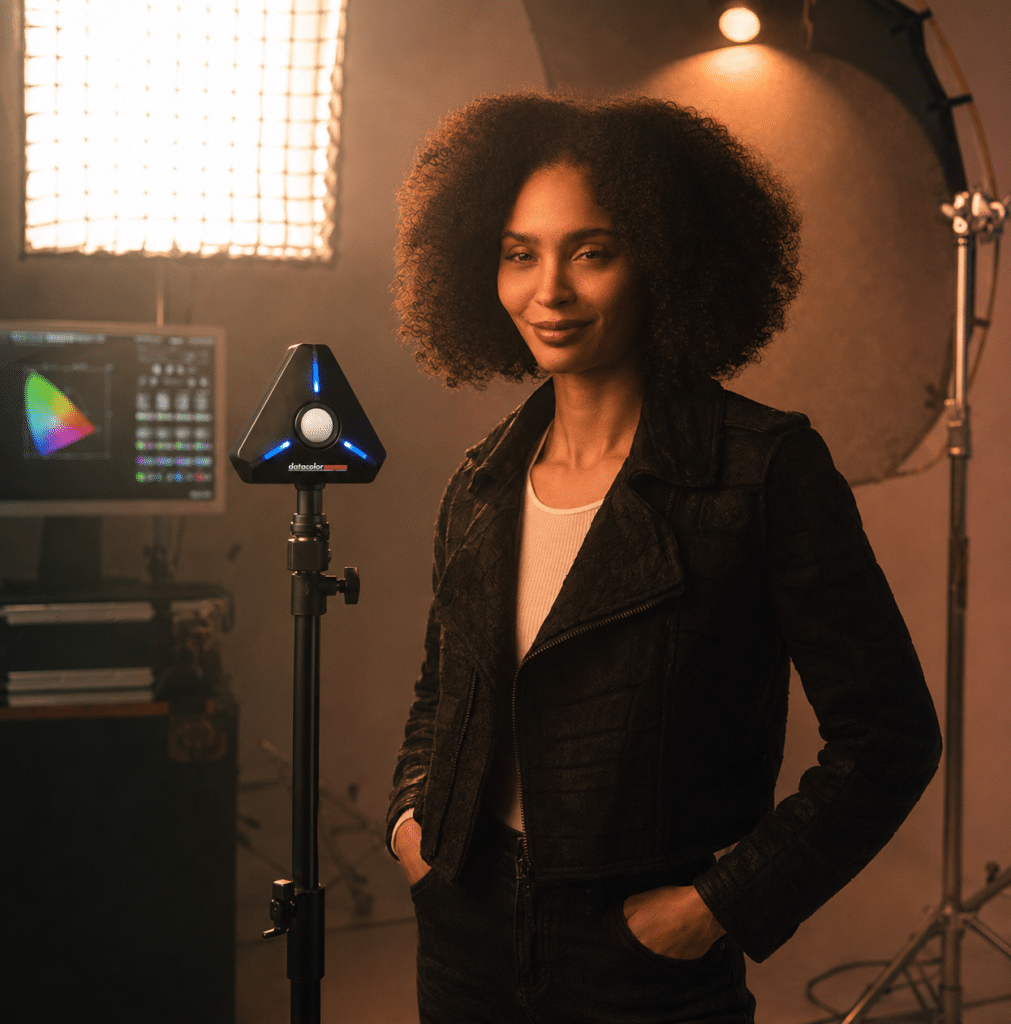
Datacolor LightColor Meter

Requesting price…

Measure Exposure and Color Before You Shoot

Take the guesswork out of lighting with the Datacolor LightColor Meter. This compact wireless meter measures light intensity, color temperature and DUV in real time, giving photographers, filmmakers and content creators more control before the first shot is taken.

Use it to set exposure, balance lighting, measure flash or continuous light, identify green/magenta shifts and reduce time spent fixing problems in post-production.

Connected via Bluetooth to the free Datacolor LightColor Meter app for iOS and Android, it gives you accurate lighting data directly on your smartphone while you work.

Measure smarter. Shoot faster. Edit with fewer surprises.

black bullet point

Measures all types of lighting, including continuous and flash/strobe

black bullet point

More precise than a camera’s Auto White Balance Mode

black bullet point

Ideal for photo, cinema, video and hybrid photo/video

black bullet point

Seamlessly synchronize multiple LightColor Meters

black bullet point

Measures color temperature + DUV

black bullet point

Wireless functionality provides efficient, hands-free agility

black bullet point
Includes Gel Filter Libraries from Profoto®, LEE® and Rosco®

Why Your Camera Meter Is Not Enough

Your camera’s built-in meter measures reflected light. That means it reads the light bouncing off the subject and scene back into the camera.This can be misleading.

A bright background can cause the camera to underexpose your subject. A dark background can make the camera overexpose. Mixed lighting, reflective products, backlit portraits and high-contrast scenes can all confuse automatic exposure and white balance.
The Datacolor LightColor Meter measures the light falling on your subject, not just the light reflected back to your camera. It also measures the color of that light, including color temperature and DUV. That gives you more reliable information before you adjust your camera, lights or scene.

Precise light & color temperature measurement for:

Measure Light and Color in One Workflow

Good exposure is only part of the lighting equation. Color matters too.
Two lights can appear similar in brightness but produce different color. One may be warmer, one cooler. One may shift slightly green, another magenta. These differences can affect skin tones, product color, interviews, green screen footage and multi-camera shoots.

The Datacolor LightColor Meter helps you measure:
  • Incident light
  • Ambient light
  • Flash and strobe light
  • Continuous light
  • Exposure settings
  • Lighting ratios
  • Color temperature
  • DUV
  • Green/magenta shift
  • Lux and chromaticity
With this information, you can adjust lights and camera settings before problems reach editing.

What Is DUV?

DUV measures whether a light source shifts toward green or magenta. This matters because two lights can have the same color temperature but still look different on camera. A light may read as 5600K but still carry a green or magenta tint that affects skin tones, product color or footage consistency. By measuring DUV, the Datacolor LightColor Meter helps you spot color shifts that are difficult to judge by eye.

Use DUV readings to:
  • Identify green or magenta shifts
  • Match different light sources
  • Improve skin tone consistency
  • Reduce color correction time
  • Choose the right gel correction
  • Create more reliable photo and video lighting
Built for Photo, Video and Cinema Workflows The Datacolor LightColor Meter is designed for creators who need lighting accuracy without slowing down the shoot.

Control Lighting Ratios with More Confidence​

Lighting ratios define the relationship between key light and fill light. They shape contrast, depth and mood. A soft interview setup may need a low ratio. A dramatic portrait or cinematic scene may need stronger contrast. Instead of guessing, the Datacolor LightColor Meter lets you measure your lights and adjust them with intention.

Use it to:
  • Balance key and fill light
  • Control contrast
  • Shape portraits
  • Build repeatable studio setups
  • Match lighting across shots
  • Reduce trial and error on set

Advantages of the light measurement method versus the in-camera object measurement method

Male model seen through a camera viewfinder, with exposure meter readings visible on the right side.
Male model standing in a photo studio during a professional photoshoot, with a Datacolor LightColor Meter displayed in the upper-left corner of the image.

Object measurement by the camera. The bright background dominates the image. In automatic mode without further corrective measures, the camera’s light meter will assume that the brightness distribution is average and will therefore suggest an exposure time that is much too short leading to an underexposed image.

Datacolor LightColor Meter LCM200 in use for precise light and object color temperature measurement

A typical low-key motif with a dominant dark-to-black background. Here, the camera’s automatic system assumes that the image is too dark and will suggest a much longer exposure time, resulting in an overexposed subject.

How the Datacolor LightColor Meter Works

LightColor Meter app showing the CIE xy color space
Smartphone displaying the Datacolor LightColor Meter app while being held in one hand.
1

Get The App

Download the free Datacolor LightColor Meter app for iOS or Android and connect the meter via Bluetooth.
Man presenting a Datacolor LightColor Meter directly toward the camera.
2

Place the Meter

Turn on your meter and place it where you want to measure your light. Data is delivered via Bluetooth to your phone in real time, for accuracy even in fluctuating light conditions.
LightColor Meter app showing color temperature readings
3

Read Exposure and Color Data

Read the color temperature of your light (coolness or warmth measured in Kelvin) including its DUV so you can adjust your scene lighting and camera settings accordingly.
LightColor Meter app showing the CIE xy color space
4

Adjust Your Setup

Use the readings to adjust exposure, white balance, lighting ratios, gels, camera settings or light placement.

Wireless, Hands-Free and Set-Ready

The LightColor Meter is built to work where creators work. Key workflow benefits:
  • Wireless Bluetooth connection
  • Real-time readings in the mobile app
  • Hands-free positioning
  • Magnetic mounts included
  • ¼”-20 mounting support
  • Compact and lightweight design
  • Multiple meter synchronization
  • Measurements up to 80 ft away
  • Works with continuous, flash and strobe lighting
Place it, monitor it and adjust your lights without repeatedly walking back and forth across the set.

Get to Know the Datacolor LightColor Meter

Camera Meter vs. Datacolor LightColor Meter

Camera meterDatacolor LightColor Meter
Measures reflected lightMeasures incident and ambient light
Can be affected by subject brightnessMeasures light independently of subject reflectivity
Provides exposure guidance onlyProvides exposure, color temperature and DUV
Can struggle with high-contrast scenesHelps control difficult lighting before capture
Relies on camera interpretationGives real-time lighting data in the app
Limited insight into light colorMeasures Kelvin and green/magenta shift
Less useful for matching multiple lightsHelps balance lights, ratios and color consistency

One Meter for Any Lighting Situation

Datacolor LightColor Meter promotional shot showing a LightColor Meter in the foreground, a male model holding a camera, a female model, and studio flash lighting equipment in the background.

Photo Uses

Datacolor LightColor Meter being used during a professional photo studio shoot with a model.

Video Uses

The Datacolor LightColor Meter Key Feature Highlights

  • Incident Metering for Ambient & Flash
  • Mobile App/Wireless Bluetooth 4.0 LE
  • Cine Settings: Frame Rate, Shutter Angle/Speed & ND Filter Compensation
  • HSS Flash & Flash Duration Measurements
  • Photo, Video, Cine Exposure Modes
  • Included: Gel Filter Libraries from Profoto®, LEE® and Rosco®
  • Simultaneous Measurements from Multiple Meters Up to 80 ft Away
  • Measures Lux, Chromaticity, CCT, and +/- Green (Duv)
  • Measures Any Kind of Light Source
  • Hands-Free Functionality – incl. Magnet, ¼”-20 Mount
  • Color Temperature Range: 1,600K – 20,000K
  • Cord-in (PC Sync)
  • Luminance Range: 1.0 – 1,000,000 lux
  • Custom Exposure Profiles
LightColor Meter device feature overview

FAQ

Are the gel filter libraries included?

The Datacolor LightColor Meter includes gel filter libraries from Profoto, LEE and Rosco.

This helps you move from measurement to correction faster. When the meter detects a color shift, you can use gel filter references to help balance your lighting setup and reduce unwanted color casts.

  • Matching multiple light sources
  • Correcting green/magenta shifts
  • Balancing practical lights
  • Controlling mixed lighting
  • Creating repeatable studio looks
  • Improving video color consistency
  • Incident metering for ambient and flash
  • Continuous, flash and strobe light measurement
  • Photo, video and cine exposure modes
  • Cine settings: frame rate, shutter angle, shutter speed and ND filter compensation
  • HSS flash and flash duration measurements
  • Measures lux, chromaticity, CCT and DUV
  • Color temperature range: 1,600K–20,000K
  • Luminance range: 1.0–1,000,000 lux
  • Mobile app with Bluetooth® 4.0 LE
  • Simultaneous measurements from multiple meters up to 80 ft away
  • Gel filter libraries from Profoto, LEE and Rosco
  • Custom exposure profiles
  • Hands-free use with magnet and ¼”-20 mount
  • Compact 49 g / 0.11 lb design
  • Datacolor LightColor Meter hardware
  • Two magnetic mounts
  • Carrying case
  • Two AAA batteries
  • iPhone® or iPod touch® running iOS 12.0 or higher
  • Android™ smartphone running Android 6.0 or higher
  • Compatible with Bluetooth® 4.0 or higher
  • Two (2) AAA batteries

Lighting issues are faster to fix before capture than after the shoot.

When exposure, color temperature and DUV are measured on set, you reduce the risk of:

  • Underexposed subjects
  • Overexposed highlights
  • Inconsistent skin tones
  • Product color shifts
  • Mixed-light color casts
  • Green or magenta footage
  • Hard-to-match camera angles
  • Extra correction work in editing

Better lighting data at capture means cleaner files and a smoother edit.

Buy the Datacolor LightColor Meter​ now

Get accurate light and color readings in seconds and take full control of every shoot.

Close

Buy Now, Pay Later with Shop Pay

Choose Shop Pay at checkout and pay in 4 interest-free installments on orders between $50 and $3,000.*

How it Works:

Shop Pay installments in partnership with

* Payment options are offered by Affirm and are subject to eligibility check and might not be available in all states. California residents: Affirm Loan Services, LLC is licensed by the Department of Business Oversight. Loans are made or arranged pursuant to California Financing Law license.


Close

Shipping charge and method


United States and Canada

*Canada shipping charges will be based on current currency conversion rates