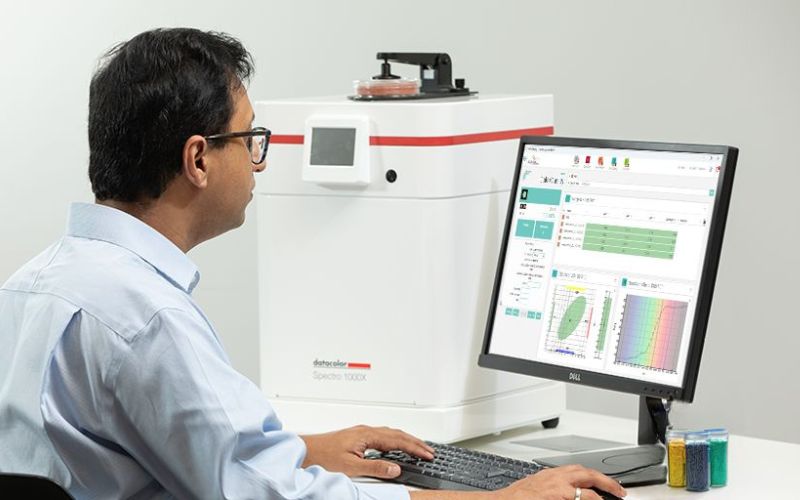
Datacolor’s in-person, hands-on training for Match Pigment and Tools provides participants with practical expertise in computer color matching, colorant management, and formulation workflows. The course combines theoretical understanding with real-world application to ensure users can confidently build colorant systems, manage data, and optimize matching performance.
Participants gain a structured understanding of the Datacolor ecosystem, including Match Pigment, Formula Central, and Tools. Through guided exercises and practical scenarios, attendees develop the skills required to improve accuracy, efficiency, and consistency across their color processes.
Who Should Attend
This course is designed for professionals involved in color formulation, color quality, and color data management, including laboratory technicians, colorists, quality managers, and technical users working with Datacolor Match Pigment and Datacolor Tools.
Learning Outcomes
Participants will learn to:
Understand the principles of computer color matching
Navigate Datacolor Match Pigment and Datacolor Tools effectively
Build, calibrate, and maintain accurate colorant sets
Create, manage, and optimize formulation jobs using Formula Central
Apply batch correction techniques to improve formulation performance
Manage standards, batches, and measurement data
Configure system preferences, defaults, and user settings
Interpret color data using appropriate color spaces and plots
Establish and apply tolerances for color evaluation
Import and export data efficiently across systems
Course Outline
Computer Color Matching
History of computer color matching
Overview of optical models used to build colorant sets
Datacolor Match Pigment: Ingredients and Colorants
Product launch, Data Navigator, and user interface overview
Data interface between Match Pigment and Datacolor Tools
Explanation of ingredients and colorant sets
Entering ingredients in the Ingredient Maintenance program for use in a colorant set
Creating a colorant set
Storing, calibrating, evaluating, and saving colorants
Overview of colorant set maintenance
Datacolor Match Pigment: Matching and Correcting
Concept and design of the Formula Central matching program
Working with job templates (use, create, modify)
Match jobs: Formula Grid, ingredient selection, and multi-formula spreadsheet displays
Working with Job Pages and matching tools
Job preferences, Formula Central setup, and system defaults
Batch correction techniques:
Automatic adds and reformulations
Manual adds and colorant optimization
Performance factors and their impact
Formula storage and management
Detailed overview of Smart Match
Recycles and ingredient properties (keywords)
Global settings: user and system administration
Import and export functions
Datacolor Tools
Overview of Data Navigator and data handling
Concept, design, and purpose of the Tools Desktop
Use of button ribbons, menus, forms/templates, and Tools Desktop Explorer
Instrument calibration and configuration options
Measurement of standards and batches using the instrument
Review of alternate data input methods
Storing and retrieving standards and batches, including folder creation
Evaluation of output data, including:
Selection and impact of illuminant/observer
Flare and metamerism concepts
Available color spaces (CMC, CIE, FMC-II)
Analysis of all available plots
Establishing and configuring pass/fail tolerances
Import/export using the QTX function
System setup and defaults
Standard and batch default settings
User administration and customization
Recommended Prerequisite
Essentials of Color Management
Course Logistics
Doors open: 8:15 a.m.
Courses begin: 8:45 a.m.
Coffee, beverages, snacks, and lunch are included